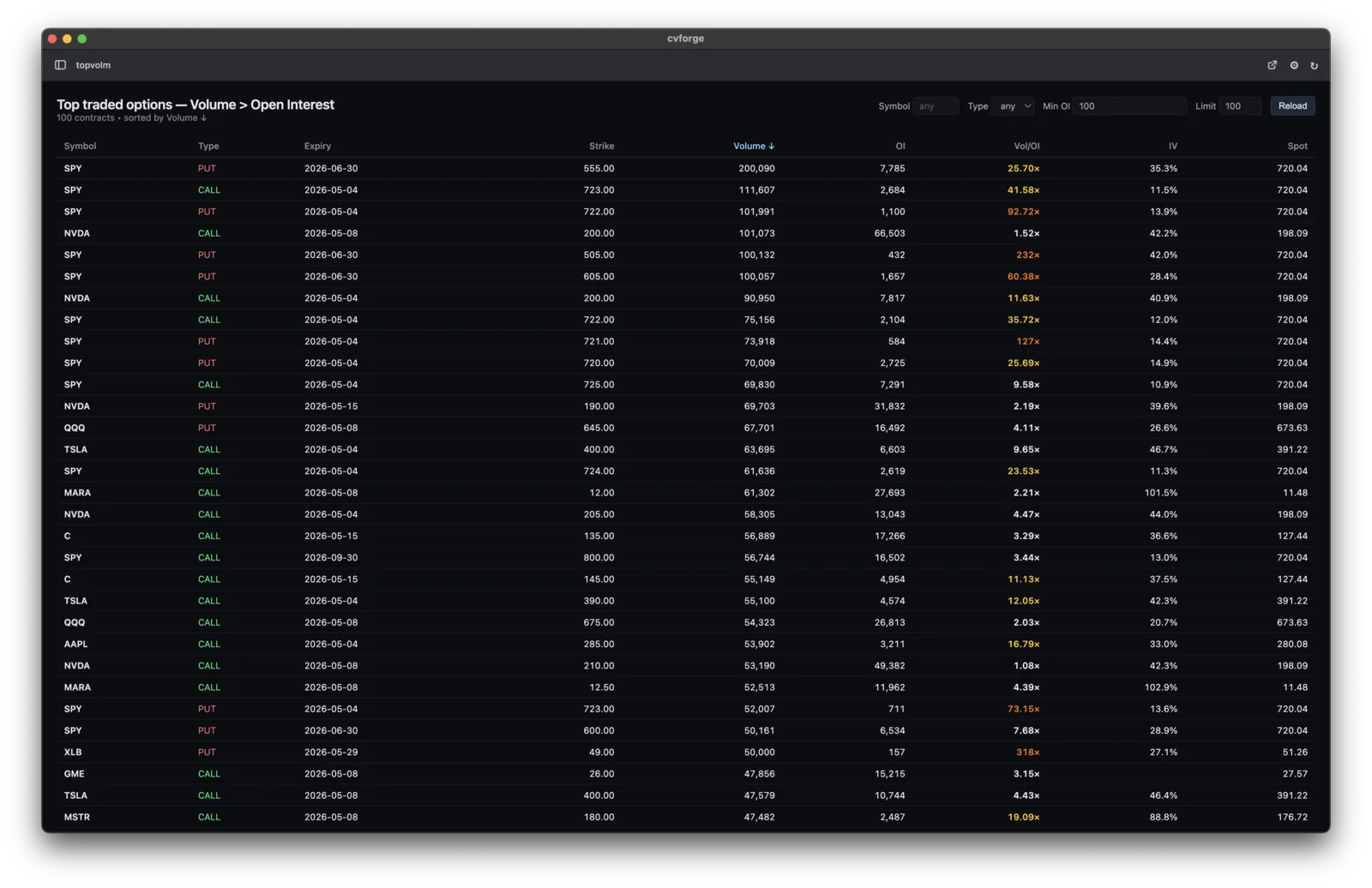
Volume vs open interest, ranked your way
“Surface tickers where today's option volume is more than 5× their open interest, and rank by the ratio.”
Your screener has a fixed menu of filters — your next idea isn't on it. In cvforge you describe the scan in plain English and the AI you already use (Claude Code, Codex…) builds it, with options data — volume, open interest, Greeks, IV, fair value — already connected.
Each of these started as one plain-English prompt and became a working tool on connected options data.
“Surface tickers where today's option volume is more than 5× their open interest, and rank by the ratio.”
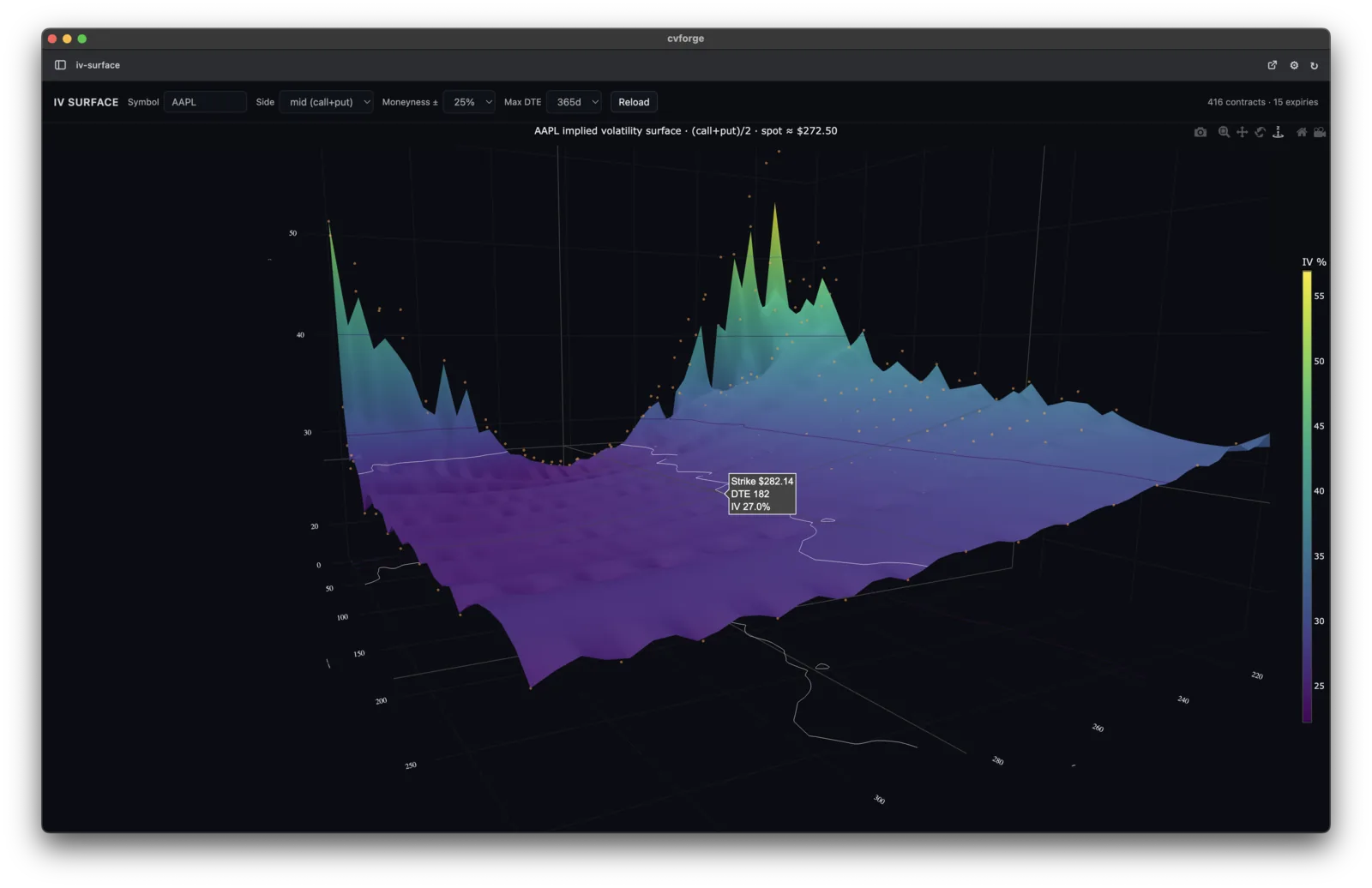
“Render a live IV surface for AAPL across all expirations and strikes.”
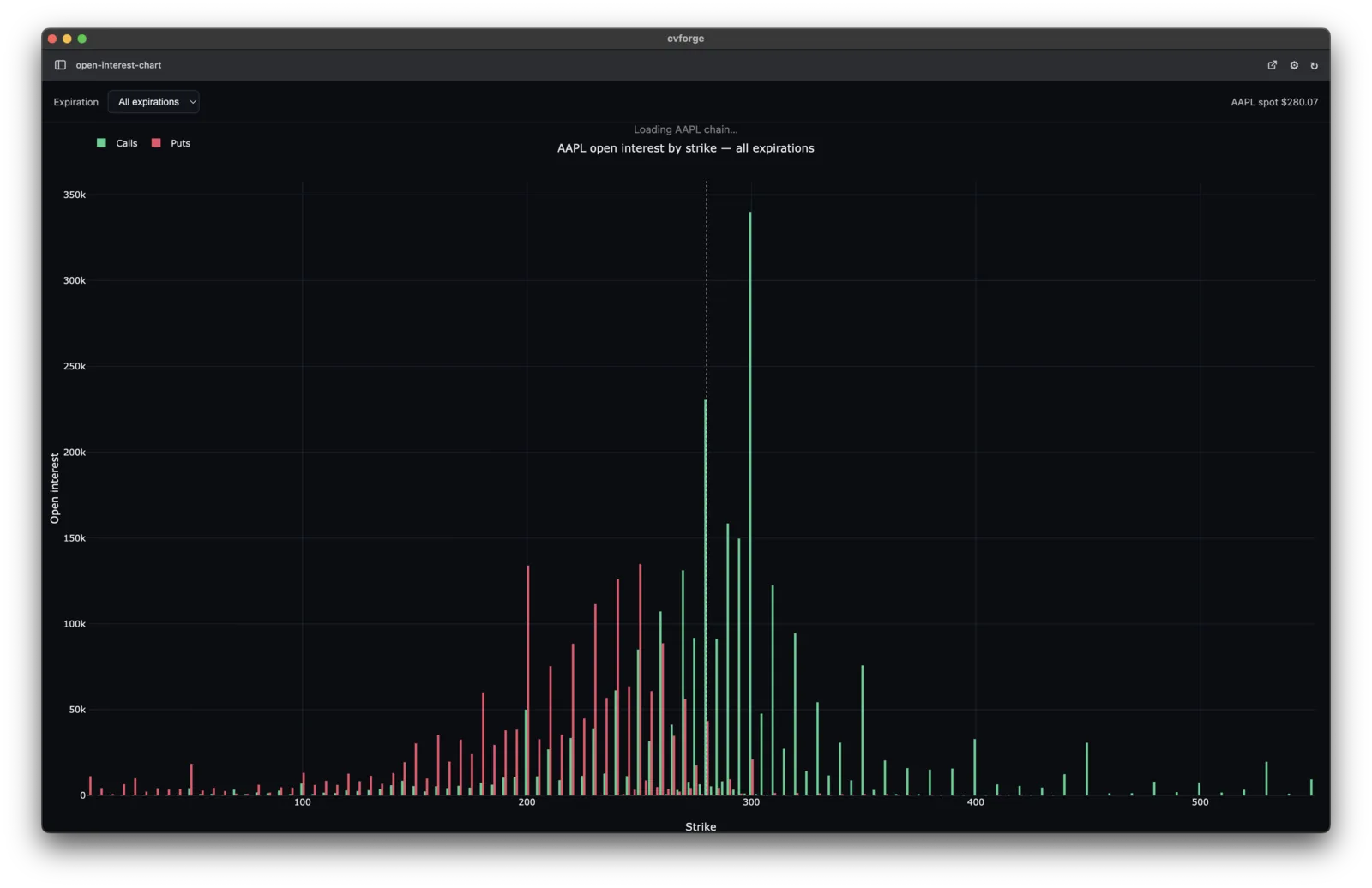
“Chart SPX open interest by strike for the next monthly — calls vs puts.”
Three steps from a prompt to a working market tool.
Claude, Codex, Gemini, Grok, and other agents work with cvforge. You do not need to learn a new AI tool.
Ask for the dashboard, scanner, chart, or payoff view in plain English. cvforge supplies the data and setup your AI needs to build it.
Your tools are saved on your machine, ready to reopen, modify, and reuse when the market changes.
No — cvforge works on options snapshots (fair value, volume, open interest, Greeks, IV) at research cadence. Scans re-run on refresh, not on the tape.
The app is free. The free data tier (20 requests/hour) needs no card. Paid tiers add request volume, a personal API key with MCP access, and — on the Research tier — historical options data.
The one you already use — Claude Code and Codex are first-class; Gemini, Grok, and Cursor work too. cvforge supplies the data connection and the ready-to-run setup.
No. You describe the scan in plain English and the AI writes the implementation. If you do code, you can edit alongside it.
On your machine. Tools persist locally — reopen, tweak, and rerun them whenever you want.
Free desktop app, free data tier, no card. Describe the scan; keep the tool.
Not ready yet? Get occasional updates on what you can build with cvforge.