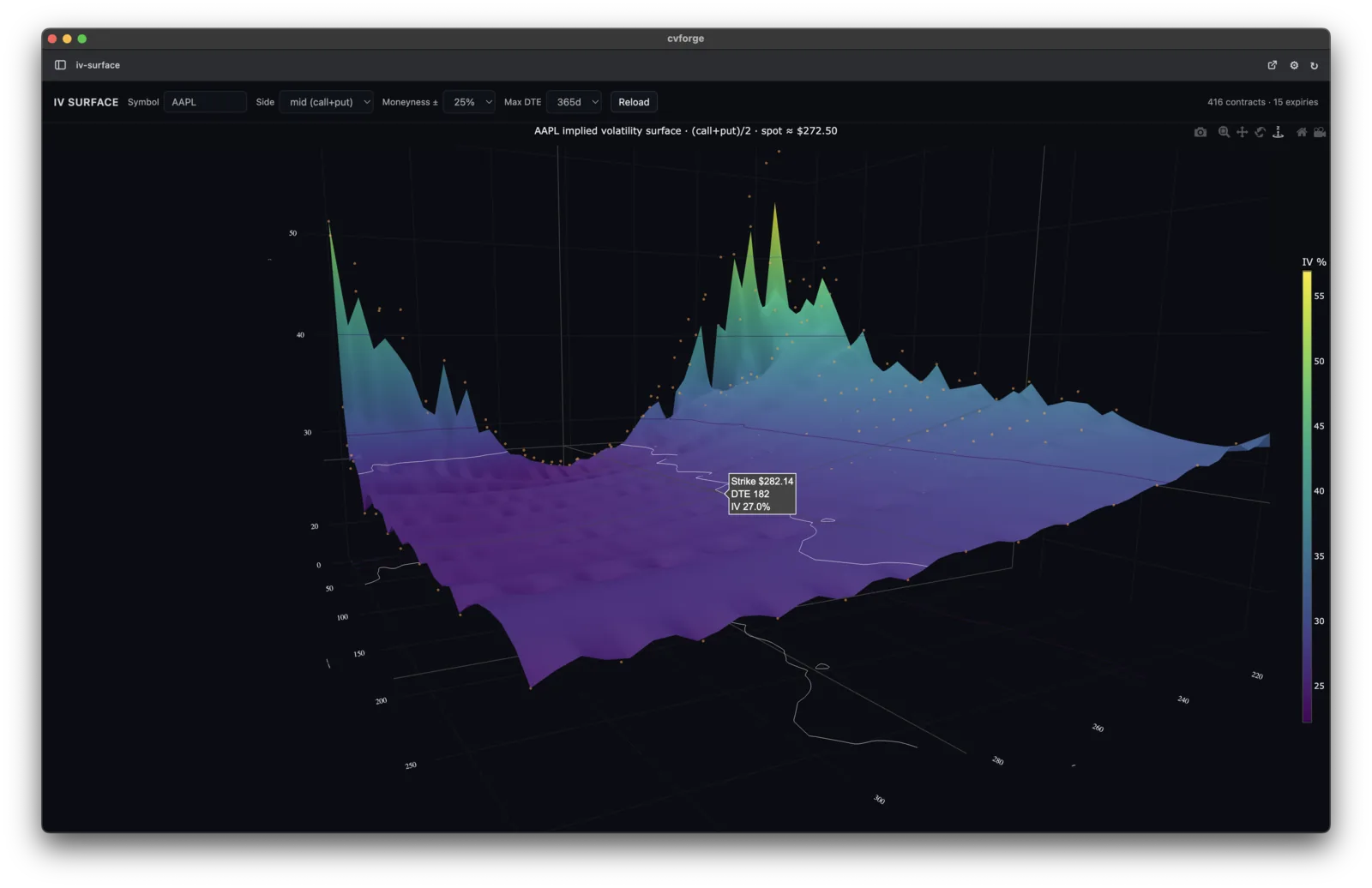
A 3D implied volatility surface
“Render a live IV surface for AAPL across all expirations and strikes.”
Live market data and a ready-to-run setup. A direct path from prompt to dashboard, scanner, or chart.
AI agents can already write the code for custom market tools. The hard part is live data, accounts, keys, setup, and getting the result to actually run. cvforge handles that middle layer for you.
Without cvforge
With cvforge
cvforge gives AI agents the two things they do not have on their own: connected market data and the setup to make the result run.
Every tool starts with market data already connected: options snapshots, Greeks, current IV, history, stocks, fundamentals, and more. No data vendor accounts, no API keys, no wiring.
cvforge gives your AI a working setup from the start, so the result opens as a usable dashboard, scanner, or chart instead of becoming a technical project.
Three steps from a prompt to a working market tool.
Claude, Codex, Gemini, Grok, and other agents work with cvforge. You do not need to learn a new AI tool.
Ask for the dashboard, scanner, chart, or payoff view in plain English. cvforge supplies the data and setup your AI needs to build it.
Your tools are saved on your machine, ready to reopen, modify, and reuse when the market changes.
Each example started as a plain-English prompt and became a working market tool using connected options snapshots.
“Render a live IV surface for AAPL across all expirations and strikes.”
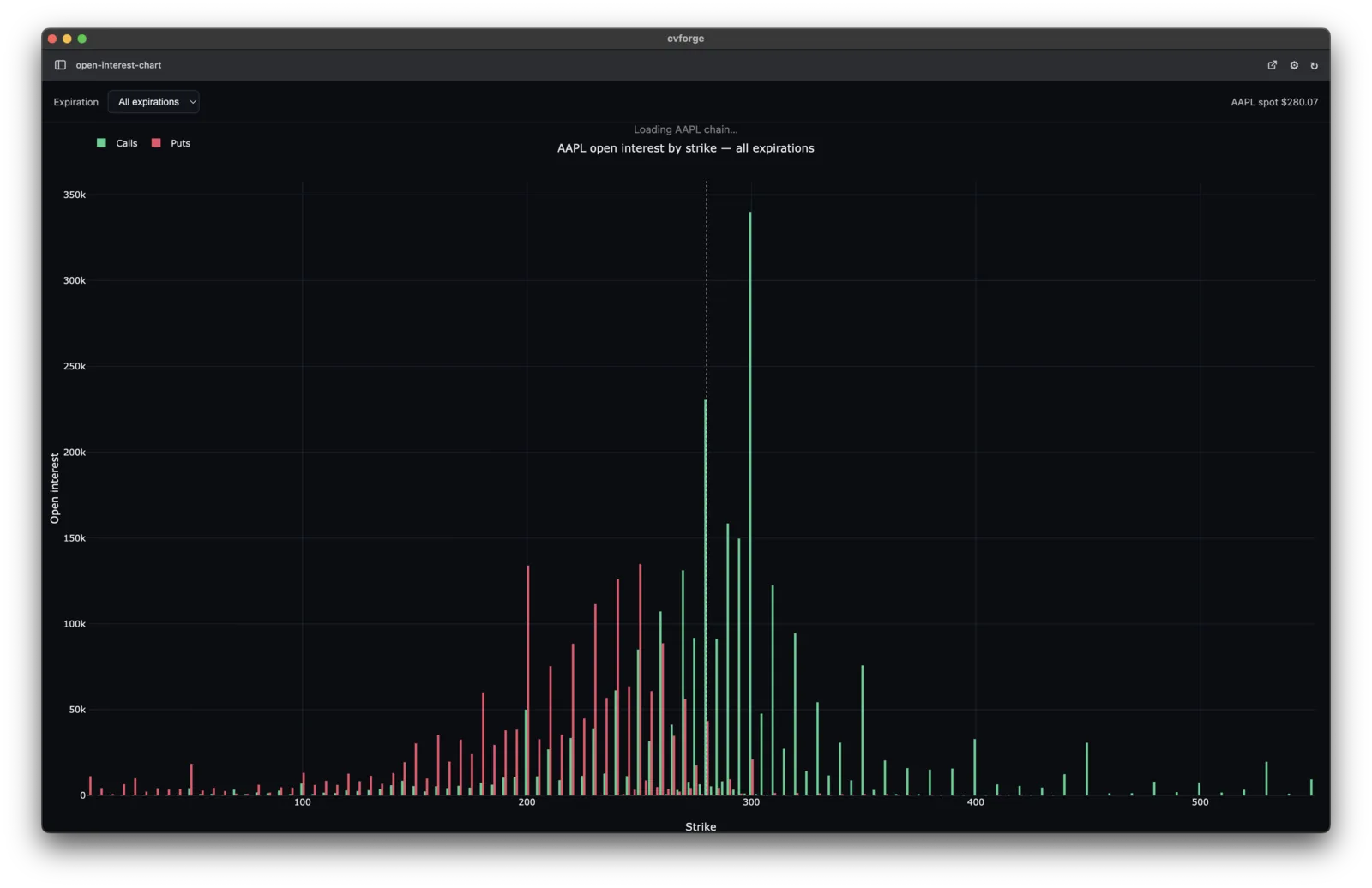
“Chart SPX open interest by strike for the next monthly — calls vs puts.”
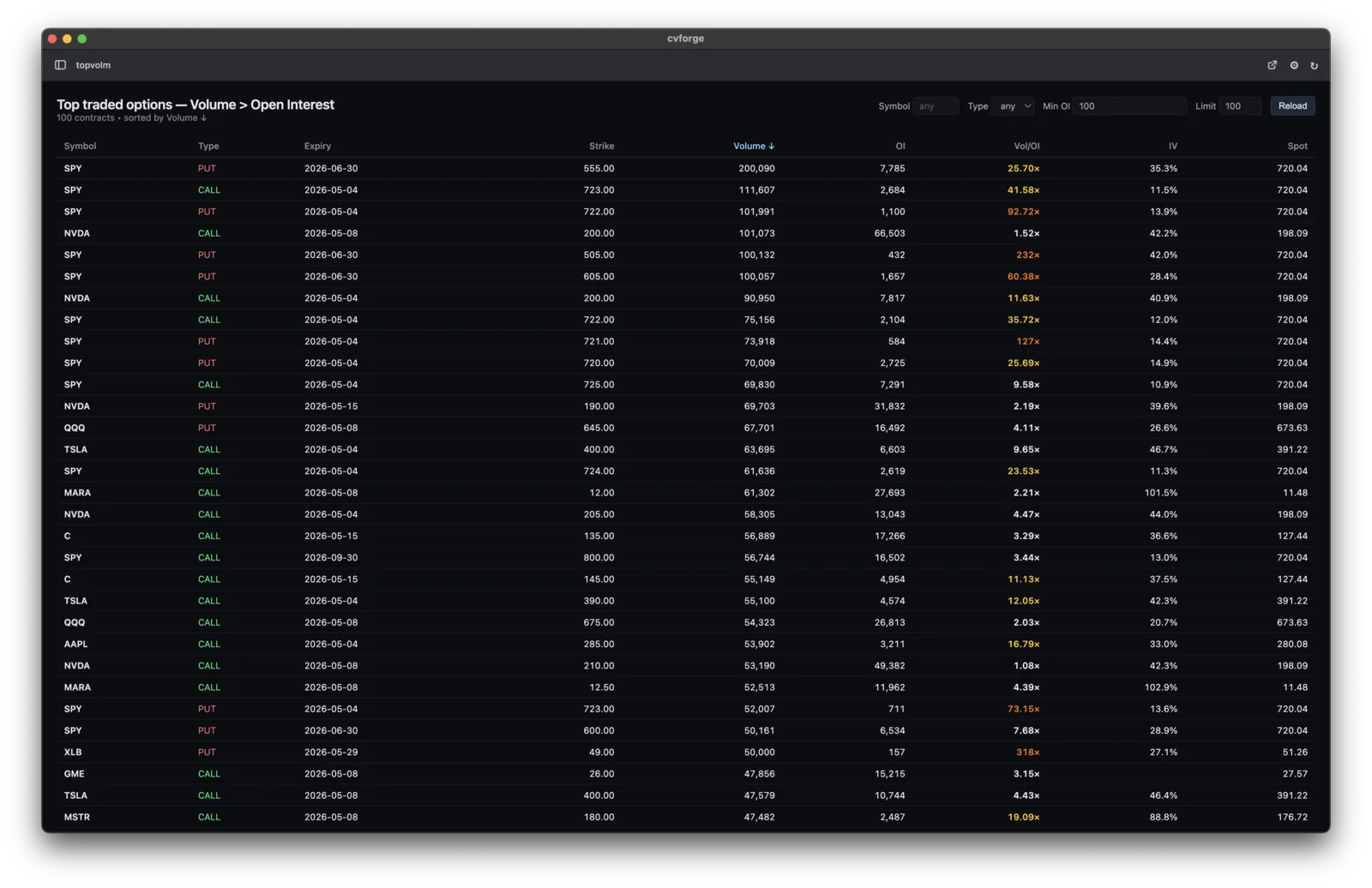
“Surface tickers where today's option volume is more than 5× their open interest.”

“Show me the P&L curve for a TSLA iron condor expiring next Friday.”
No. You describe what you want in plain English and the AI writes the code under the hood — you never have to see it. If you do code, you can edit alongside it.
cvforge is a desktop app that gives AI agents connected market data and a ready-to-run setup for building custom market tools. Describe the dashboard, scanner, chart, or payoff view you want, and your AI can build it with the data already connected.
cvforge is free. Pricing depends on the live market data tiers you want to use, so you can choose the data coverage that matches what you build.
US equity options — real-time snapshots of chains, Greeks, IV, volume, and open interest — plus historical stock data, financials, and economics, served by ConvexValue. Wired in from the first prompt; no keys to chase.
No. Every view you build is saved locally on your machine. Open cvforge tomorrow and yesterday’s scanner is still there, ready to refresh from the connected data.
They are different products built on different data. The Terminal is pre-built, high-fidelity live options analytics for the live session. cvforge is for research and building your own tools — real-time options snapshots plus history, financials, and economics, shaped however you describe. Many traders use both, for different jobs.
All three. Apple Silicon, Intel, Windows x64, and Linux.
You can use any AI agent with cvforge, including Claude, Codex, Gemini, Grok, and Cursor. Claude Code and Codex have first-class support.
The cvforge app is free. Choose a data plan — Free, Go, or Research — and build your first dashboard in minutes.
Not installing today? Get new builds by email — the exact prompt and the tool it produced.